Krita
Free and open-source digital painting and illustration software for artists, concept designers, and comic creators.
https://krita.org
Krita
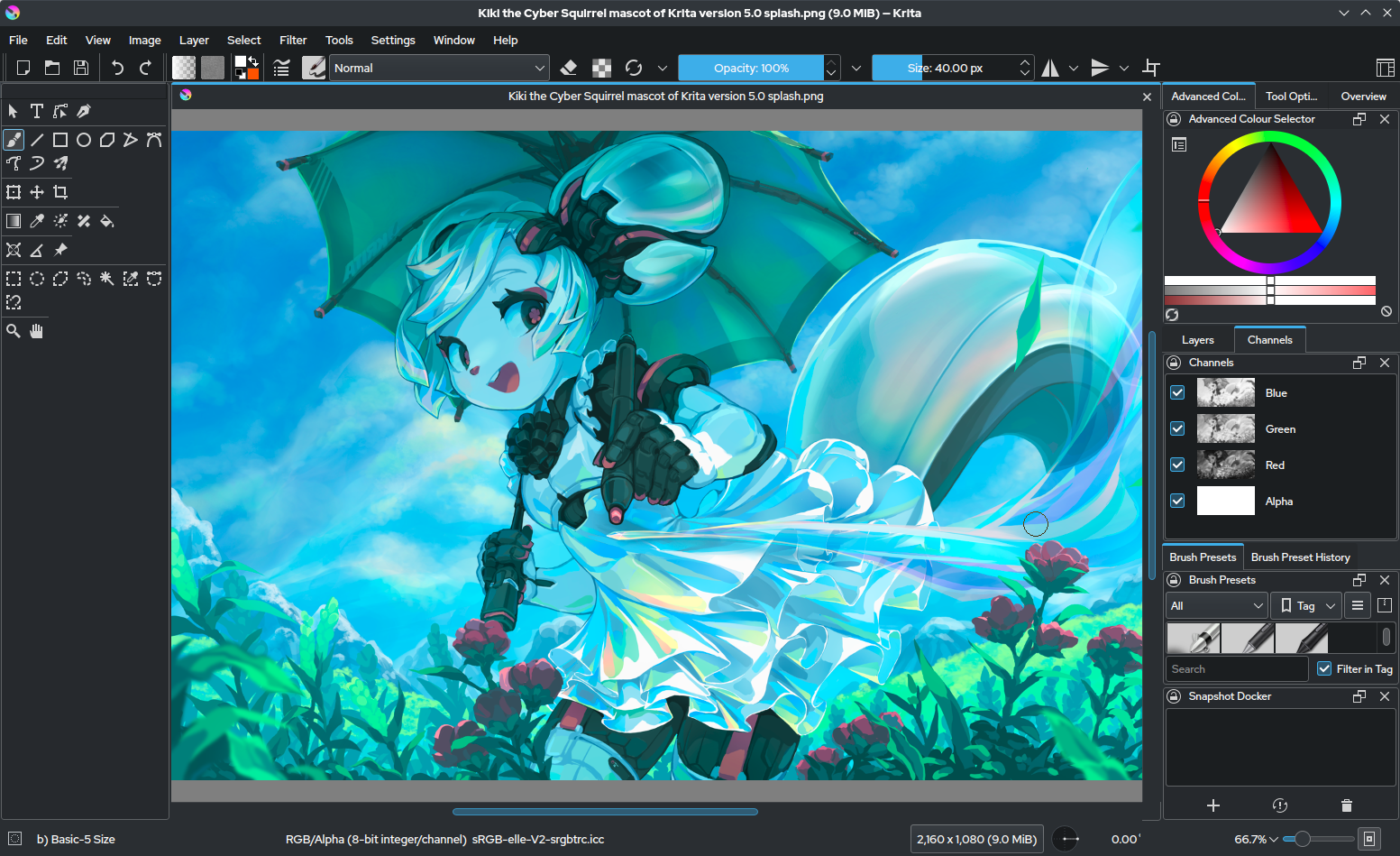
Krita is an open-source painting and illustration application built for artists who want a powerful tool for drawing, concept art, comics, matte painting, and visual storytelling. It is especially popular with illustrators and digital painters because it combines a rich brush engine, flexible workspace, and professional-grade painting tools in a free package. Unlike general-purpose editors, Krita is designed to feel natural for creative work from the first stroke.
🌟 High-Level Capabilities
- Advanced Brush Engine: Use a huge variety of brushes, textures, and brush customization options.
- Layer-Based Painting: Build complex artwork with layers, masks, transparency, and blending modes.
- Concept Art and Illustration: Create characters, environments, storyboards, and polished finished artwork.
- Comic and Manga Tools: Work with panels, page layouts, and frame-based storytelling.
- Animation Support: Create frame-by-frame animation and simple motion-based artworks.
🎨 What It Helps You Do
Krita helps artists turn ideas into visual work with speed and depth. Whether you are sketching an idea, painting a full character sheet, building a comic page, or preparing a concept design for a game or film, Krita gives you tools that feel purpose-built for creativity. Its strength is not just in raw features, but in the way those features support a natural painting workflow.
For people who love digital art, Krita offers a comfortable environment for experimentation. You can work with custom brushes, test color palettes, build textures, and refine lighting without being limited by a rigid toolset. That flexibility is one reason it is often recommended for aspiring and professional artists alike.
🖌️ Why Krita Stands Out
What makes Krita especially valuable is how much it gives artists for free. It brings together features that many creative professionals expect from premium software, including strong brush control, high-resolution canvas support, and a polished painting experience. Its open-source development also means it continues to grow through community contributions, tutorials, and shared resources.
Krita is also popular because it works well for both traditional digital art and more structured production workflows. You can use it for rough sketching, final rendering, comic page design, and even some animation tasks. It is a practical tool for artists who want one application that supports a broad creative process.
🧩 Common Workflows
- Character Design: Sketch rough forms, refine anatomy, add color, and build polished final pieces.
- Environment Painting: Create backgrounds, textures, lighting moods, and atmospheric scenes.
- Comic Creation: Layout pages, draw panels, add speech bubbles, and prepare final pages for export.
- Texture and Material Work: Paint surfaces, generate stylized effects, and build reusable visual assets.
- Animation Frames: Create short animated sequences or looped motion graphics.
💡 Tips for Better Painting Results
- Use custom brush presets to speed up repeated tasks and keep your style consistent.
- Save your work often and use snapshot features to preserve versions of your progress.
- Organize layers carefully so large illustrations stay manageable.
- Experiment with brush stabilization for smoother lines and less hand jitter.
- Build up color and lighting gradually instead of trying to perfect everything at once.
- Use reference images and color palettes to keep your work cohesive.
🧠 Who It Is Great For
Krita is ideal for illustrators, concept artists, comic creators, game artists, students, and anyone who wants a serious painting tool without a commercial license. If your work depends on visual expression, texture, and creative control, Krita is one of the strongest free options available.